7 Best Vimium Alternatives in 2026
Looking for Vimium alternatives that work beyond the browser? Compare the top keyboard navigation tools including system-wide options for macOS.
Why look for Vimium alternatives?
Vimium is a great browser extension that brings Vim-like keyboard navigation to Chrome and Firefox. It lets you scroll pages with hjkl, click links using hint labels, and navigate tabs without touching your mouse.
But Vimium only works inside the browser. The moment you switch to Slack, your text editor, Finder, or any other macOS application, those Vim keybindings disappear. If you want consistent keyboard-driven navigation across your entire system, you need something more.
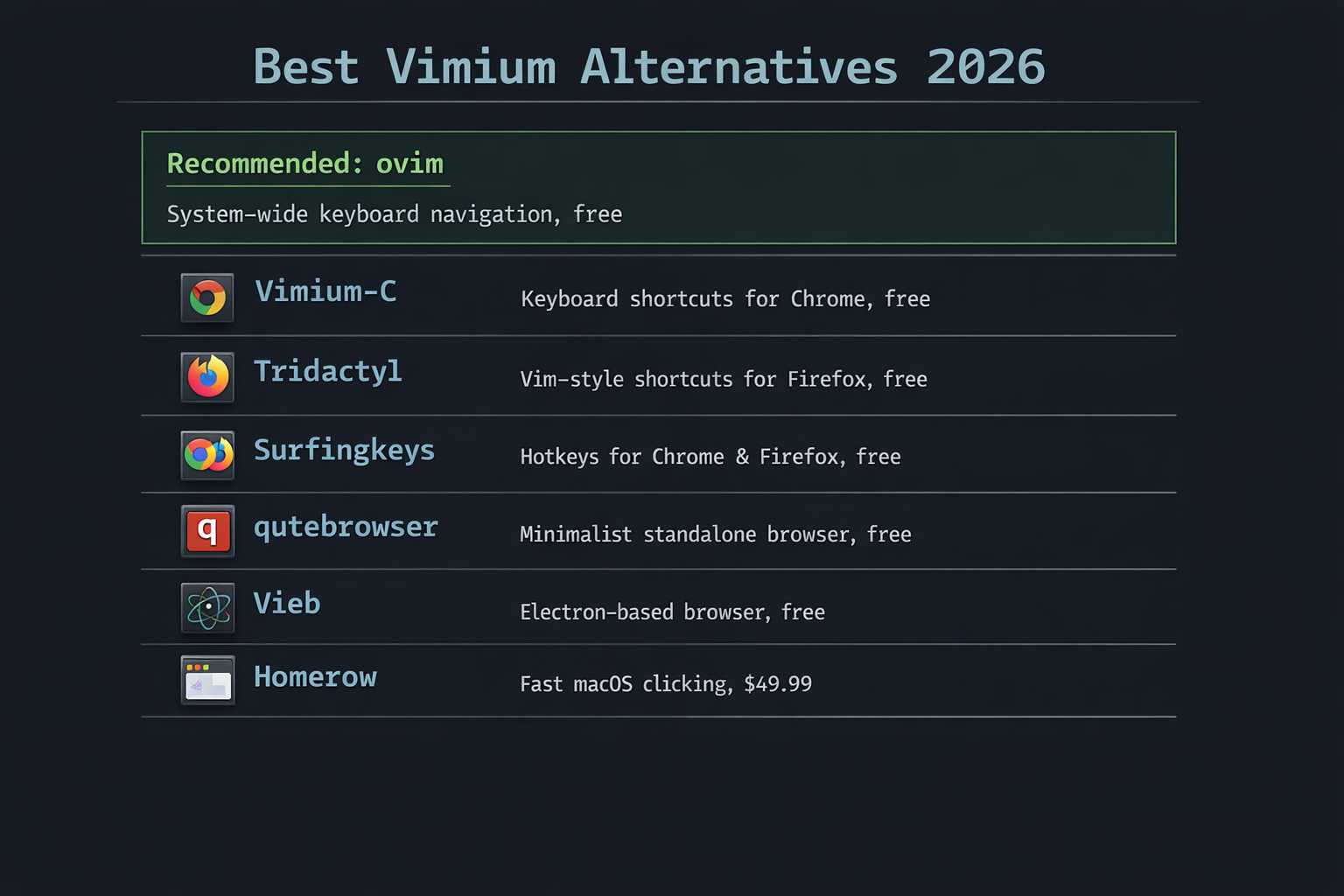
Here are the best alternatives to Vimium in 2026, ranging from browser extensions to system-wide solutions.
1. ovim - System-wide Vim mode for macOS (best overall)
ovim goes beyond what Vimium offers by bringing Vim keybindings to every macOS application, not just the browser. It includes three distinct modes:
- In-Place Mode - Use hjkl, w/b/e, operators (d, y, c), text objects, counts, and visual mode in any app. ovim translates Vim commands into native macOS keystrokes.
- Click Mode - Like Vimium's hint mode but system-wide. Press Cmd+Shift+F to show hint labels on all clickable UI elements. Supports right-click (r), double-click (d), and cmd-click (c).
- Edit Popup - Opens your actual Neovim installation in a popup terminal for complex edits. Your full config, plugins, and keybindings are available.
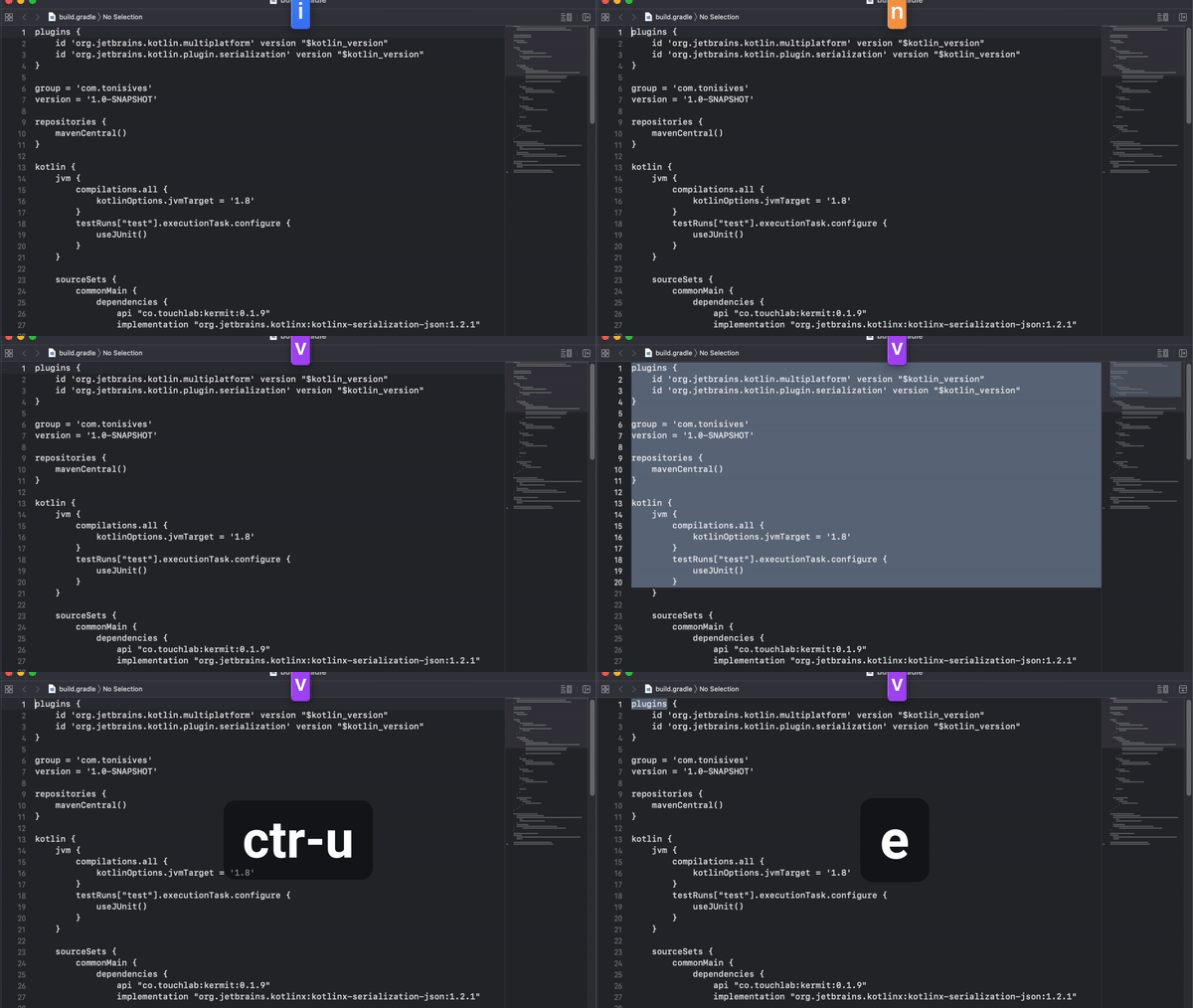
ovim is free, open source (MIT), and installs with brew install --cask tonisives/tap/ovim. If you use Vimium because you love Vim keybindings, ovim lets you use them everywhere.
2. Vimium-C - Enhanced Vimium for Chrome
Vimium-C is a fork of Vimium with additional features. It adds better omnibar search, more customizable keyboard shortcuts, and improved hint label styling. Vimium-C also supports dark mode and offers smoother scrolling.
If you like Vimium but want more polish and customization within Chrome, Vimium-C is the closest upgrade. However, it remains browser-only.
Price: Free, open source.
3. Tridactyl - Vim mode for Firefox
Tridactyl is a Firefox extension inspired by Vimperator and Pentadactyl. It offers a command-line mode (:commands), configurable keybindings via a .tridactylrc file, and a native messenger for launching external editors.
Tridactyl is more powerful than Vimium for Firefox users who want deeper Vim integration. The native messenger can open text fields in your terminal editor. However, it only works in Firefox.
Price: Free, open source.
4. Surfingkeys - JavaScript-extensible keyboard navigation
Surfingkeys is available for both Chrome and Firefox. Its standout feature is the ability to write custom JavaScript functions and map them to keyboard shortcuts. You can create site-specific keybindings, interact with page content programmatically, and build complex automation.
For developers who want to extend their keyboard navigation beyond standard Vim commands, Surfingkeys offers the most flexibility. The tradeoff is a steeper learning curve.
Price: Free, open source.
5. qutebrowser - A full Vim-native browser
qutebrowser takes a different approach: instead of adding Vim keybindings to an existing browser, it is a browser built from the ground up with Vim-style navigation. It uses a minimal UI with keyboard-driven commands, a command line, and configurable keybindings.
qutebrowser is ideal if you want the deepest possible Vim integration in your browser and do not mind switching away from Chrome or Firefox. It runs on Linux, macOS, and Windows.
Price: Free, open source.
6. Vieb - Vim-inspired Electron browser
Vieb (Vim Inspired Electron Browser) is a lightweight browser with Vim keybindings, hint-mode navigation, ad blocking, and a read-it-later feature. It prioritizes privacy and supports custom CSS and JavaScript.
Vieb is a good choice for users who want a modern, customizable Vim browser that works across platforms. It is built on Electron, so extension compatibility differs from Chrome/Firefox.
Price: Free, open source.
7. Homerow - Keyboard clicking for macOS
Homerow brings Vimium-style hint labels to all macOS applications, letting you click any UI element with the keyboard. It is the successor to Vimac and offers scroll mode and search functionality.
Homerow focuses purely on clicking and scrolling - it does not provide Vim text editing motions. If you only need the hint-clicking part of Vimium, Homerow works system-wide. However, it costs $49.99 and lacks right-click or double-click support. See our full Homerow alternatives comparison.
Price: $49.99 one-time purchase.
Full comparison
| Feature | ovim | Vimium | Tridactyl | Surfingkeys | Vimium-C |
|---|---|---|---|---|---|
| Scope | System-wide | Browser only | Firefox only | Browser only | Browser only |
| Platform | macOS | All (extension) | Firefox | Chrome, Firefox | Chrome |
| Vim motions (hjkl, w/b/e) | Yes, everywhere | Scroll only | Scroll only | Scroll only | Scroll only |
| Text editing (d, y, c) | Yes | - | - | - | - |
| Hint-based clicking | Yes, system-wide | Yes, browser tabs | Yes, browser tabs | Yes, browser tabs | Yes, browser tabs |
| Neovim integration | Edit Popup | - | - | - | - |
| Right-click support | r + hint | - | - | - | - |
| Price | Free | Free | Free | Free | Free |
| Open source | Yes (MIT) | Yes | Yes | Yes | Yes |
Which Vimium alternative should you choose?
If you only use Vim keybindings in the browser and are happy with Chrome or Firefox, the original Vimium, Vimium-C, Tridactyl, or Surfingkeys will serve you well. They are all free and battle-tested.
If you want Vim-style navigation that works beyond the browser - in Slack, Finder, Notes, your email client, and every other macOS app - ovim is the only free, open-source option that combines system-wide Vim motions, hint-based clicking, and a full Neovim popup editor.
Install ovim with Homebrew:
brew install --cask tonisives/tap/ovim