6 Best Homerow Alternatives in 2026
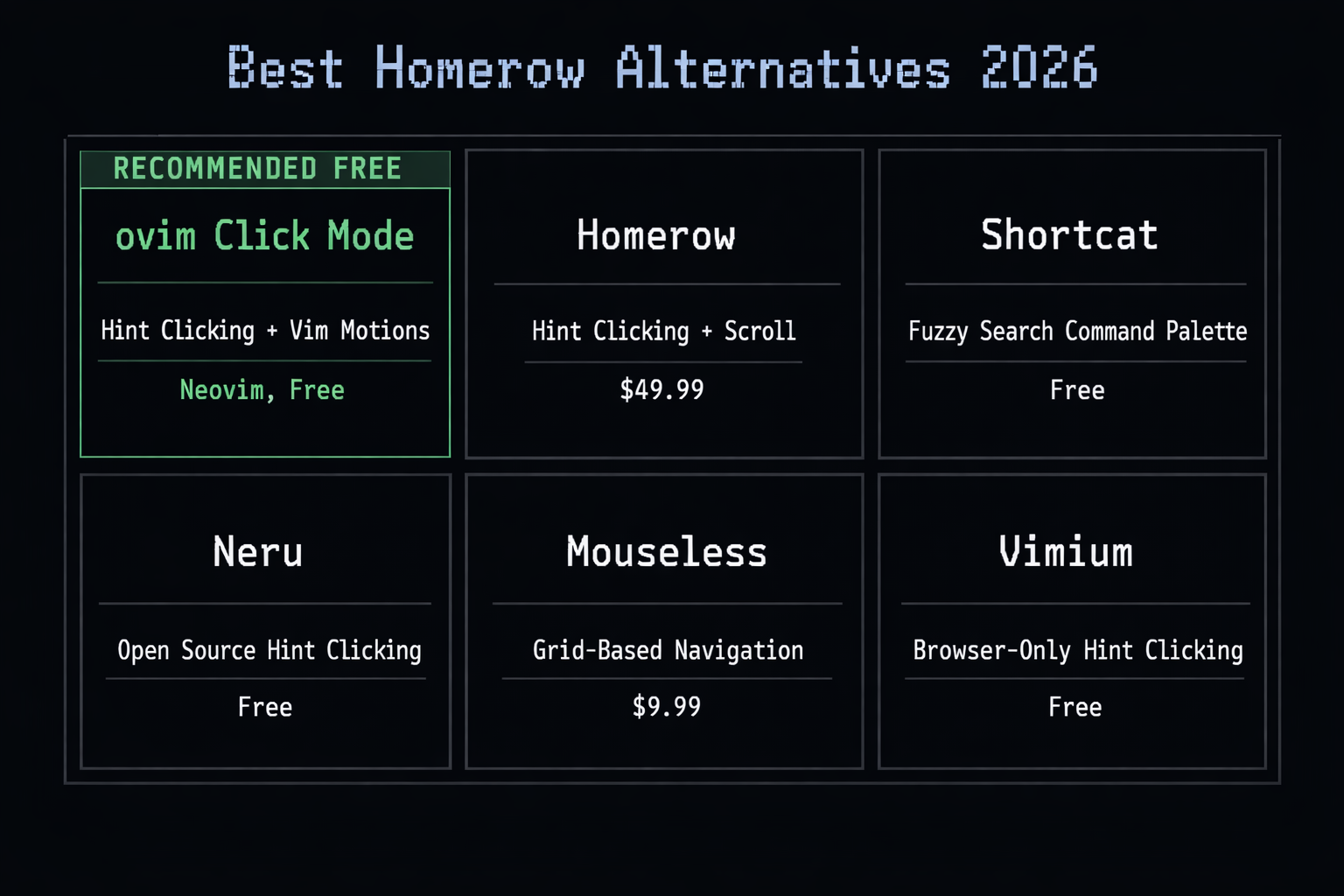
Homerow lets you click macOS UI elements with the keyboard, but it costs $49.99. Here are the best free and paid alternatives for keyboard-driven navigation.
Why look for Homerow alternatives?
Homerow (formerly Vimac) is a macOS app that displays hint labels on all clickable elements, letting you navigate and click with just your keyboard. It is a well-made tool that appeals to developers and power users who want to minimize mouse usage.
However, there are several reasons users look for alternatives:
- Price - Homerow costs $49.99 for a one-time purchase. That is steep for a utility app, especially when free alternatives exist.
- Limited click actions - Homerow supports left-click and right-click via Shift, but lacks double-click and cmd-click support.
- No Vim motions - Homerow only handles clicking and scrolling. If you want Vim-style text editing (hjkl, d, y, c) across macOS, you need a separate tool.
- No text editing - Homerow cannot help with editing text in applications. It is purely a navigation and clicking tool.
1. ovim Click Mode - Free system-wide clicking + Vim motions (best overall)
ovim includes a Click Mode that works like Homerow - press Cmd+Shift+F to display hint labels on all clickable elements in the frontmost application, then type the hint characters to click.
What sets ovim apart from Homerow:
- Free and open source (MIT License) - no $49.99 price tag.
- More click actions - right-click (r + hint), double-click (d + hint), and cmd-click (c + hint). Homerow only supports left-click and Shift+click for right-click.
- Vim motions included - ovim is not just a clicking tool. Its In-Place Mode adds hjkl navigation, operators (d, y, c), text objects, visual mode, and counts to every macOS application.
- Neovim popup - The Edit Popup opens your real Neovim with your full config and plugins for complex edits.
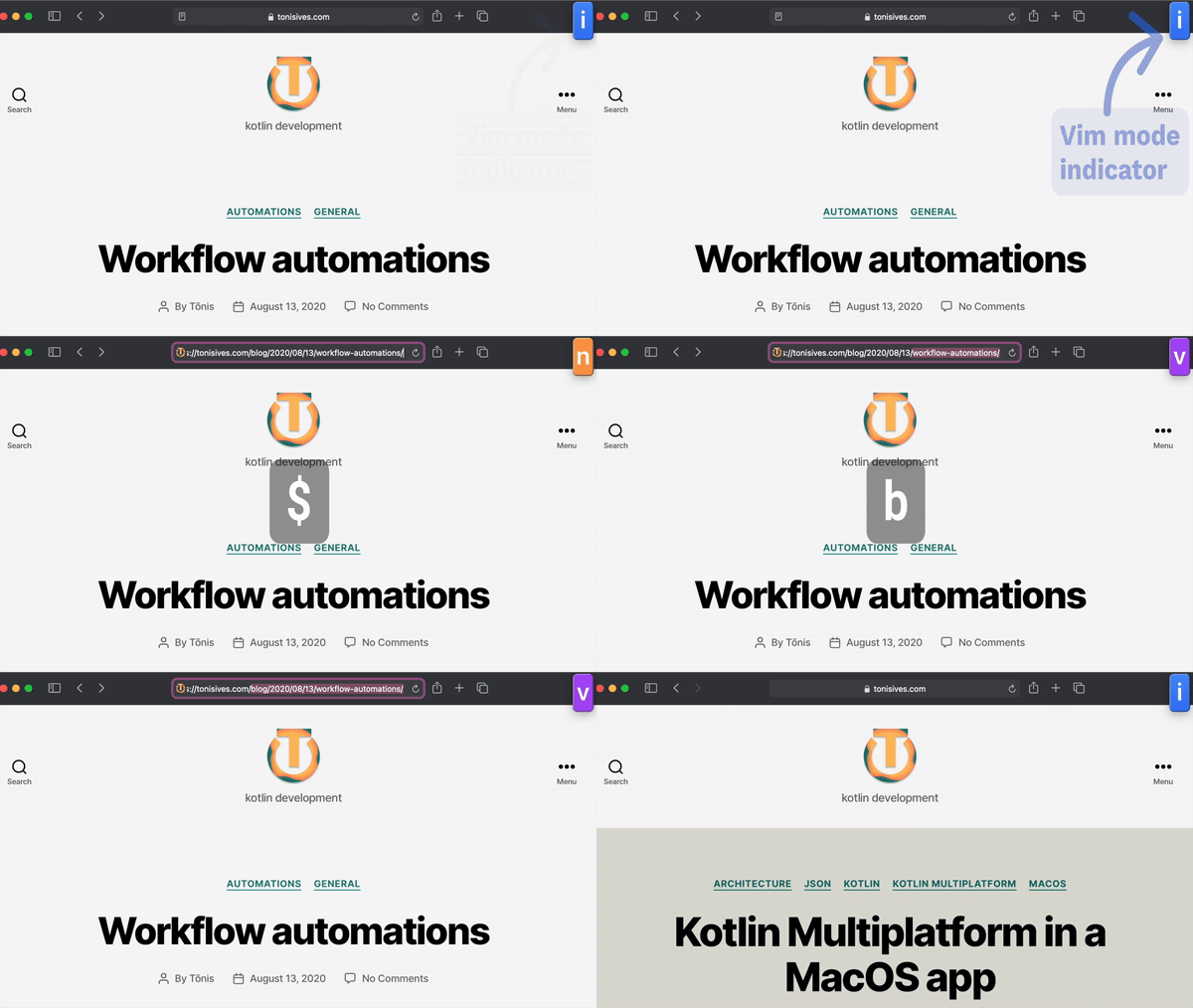
Install with brew install --cask tonisives/tap/ovim.
Price: Free, open source (MIT).
2. Shortcat - Command palette for macOS UI
Shortcat takes a different approach to keyboard navigation. Instead of showing hint labels, it indexes your Mac's UI elements and presents them in a command palette with fuzzy search. Type what you want to click - for example, "ok" to click an OK button, or "save" to click a Save button.
Shortcat also includes menu search (quickly find and invoke any menu item), emoji insertion, and synonym matching ("delete" finds "remove", "clear", "destroy"). It works across native apps, browsers, and Electron apps.
The fuzzy search approach is faster for elements with clear labels but slower than hint-based clicking when labels are ambiguous or you need to click elements without obvious text.
Price: Free. Install with brew install shortcat.
3. Neru - Open source Homerow alternative
Neru is a free, open-source alternative built specifically as a replacement for Homerow, Vimac, Shortcat, and Mouseless. It provides hint-based keyboard clicking with no paywalls, no subscriptions, and full configurability.
Neru is relatively new and may not be as polished as Homerow, but it is the closest free open-source equivalent if you only need the hint-clicking functionality.
Price: Free, open source.
4. Mouseless - Grid-based keyboard navigation
Mouseless uses a grid overlay instead of hint labels. Activate it, and the screen divides into a grid. Type characters to narrow down to a specific area, then click. This approach works for any element on screen, even those without accessibility labels.
The grid method is more universal but requires more keystrokes to reach a specific target compared to hint-based approaches.
Price: $9.99 one-time purchase.
5. Mousio - Free cursor control from keyboard
Mousio lets you move and click the cursor using keyboard shortcuts. Instead of hint labels, it provides a grid-based navigation system with multi-display support. You can move, click, drag, and scroll entirely from the keyboard.
Mousio is simpler and less precise than hint-based tools like Homerow or ovim, but it works even when the application does not expose accessibility elements.
Price: Free.
6. Vimium (browser only)
Vimium is the original hint-based keyboard navigation tool, but it only works inside Chrome and Firefox. If your workflow is primarily browser-based, Vimium provides excellent hint-mode clicking plus Vim-style scrolling and tab management.
For system-wide clicking outside the browser, pair Vimium with a tool like ovim or Homerow. See our Vimium alternatives comparison for more detail.
Price: Free, open source.
Full comparison
| Feature | ovim | Homerow | Shortcat | Neru | Mouseless |
|---|---|---|---|---|---|
| Hint-based clicking | Yes | Yes | Fuzzy search | Yes | Grid-based |
| Right-click | r + hint | Shift + hint | Yes | - | - |
| Double-click | d + hint | - | - | - | - |
| Cmd-click | c + hint | - | - | - | - |
| Vim motions (hjkl, d, y, c) | Yes | - | - | - | - |
| Neovim integration | Edit Popup | - | - | - | - |
| Scroll mode | Vim-style (Ctrl+u/d) | Yes (hjkl) | - | - | - |
| Menu search | - | - | Yes | - | - |
| Price | Free | $49.99 | Free | Free | $9.99 |
| Open source | Yes (MIT) | Yes | No | Yes | No |
Which Homerow alternative should you choose?
The right choice depends on what you need beyond hint-based clicking:
- Best free Homerow replacement with Vim - ovim includes Click Mode (hint-based clicking with right-click, double-click, cmd-click), In-Place Mode (Vim motions), and Edit Popup (Neovim). All free and open source.
- Best for fuzzy search navigation - Shortcat is free and uses a command-palette approach that some users find faster for labeled elements.
- Closest free Homerow clone - Neru replicates Homerow's hint-based clicking with open-source code and no subscription.
- Best for accessibility-free apps - Mouseless or Mousio use grid-based approaches that work even when apps do not expose accessibility elements.
Install ovim with Homebrew:
brew install --cask tonisives/tap/ovim