Edit Popup
Open your actual Neovim installation in a popup terminal. Your full config, plugins, and keybindings are available.
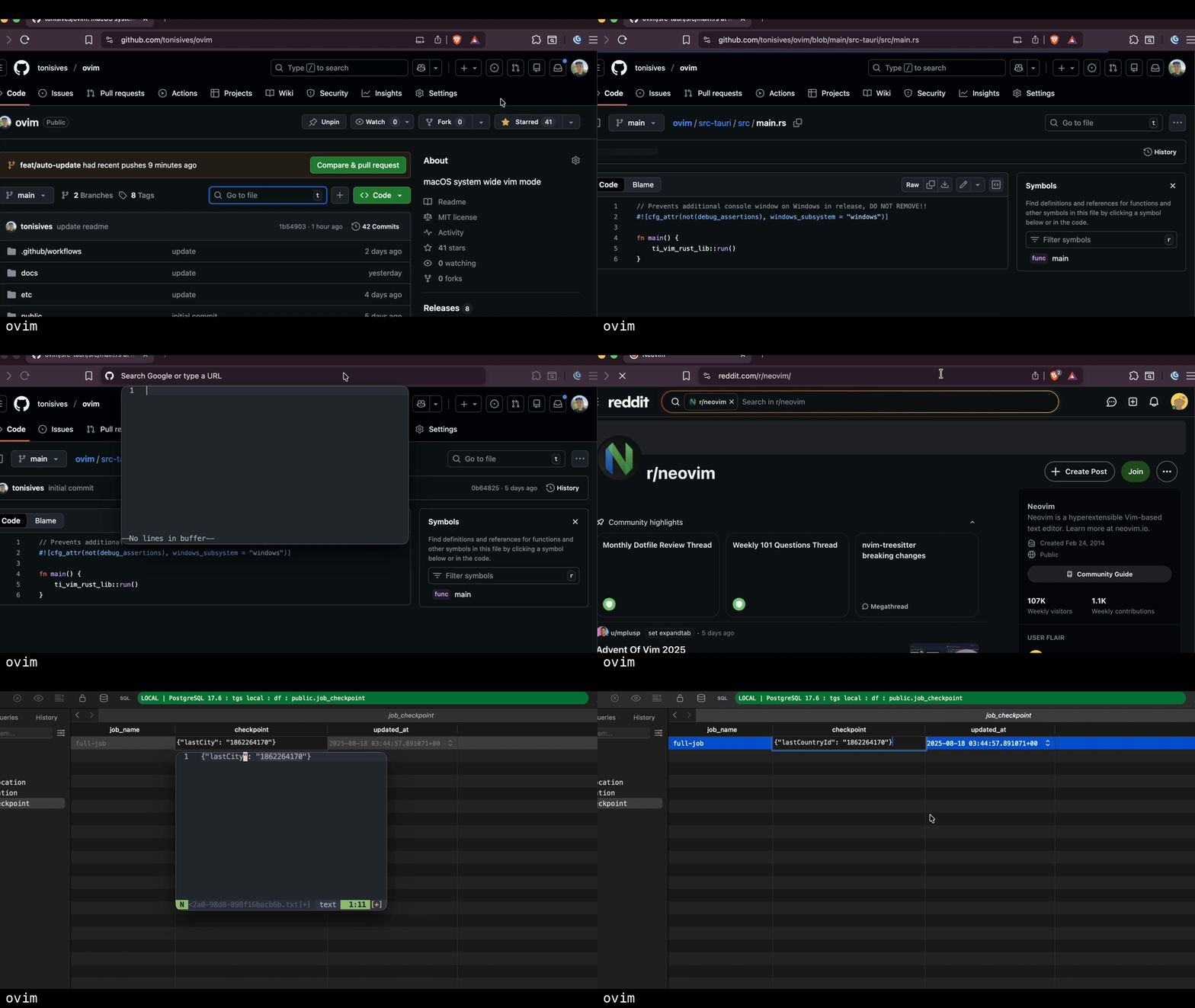
How it works
Edit Popup opens a real Neovim instance in a terminal window. Unlike In-Place Mode which simulates Vim commands, Edit Popup gives you the full power of Neovim - your complete ~/.config/nvim configuration, all installed plugins, custom keybindings, macros, and everything else.
Workflow
- Assign a shortcut to "Toggle Edit Popup" in Settings
- Select text in any application (optional - captures existing text)
- Press your shortcut to open Neovim in a popup terminal
- Edit with your full Neovim setup
- Type
:wqto save and paste back, or close the window to cancel
Supported terminals
Edit Popup works with these terminal emulators:
- Alacritty (recommended)
- Kitty
- WezTerm
- iTerm2
- Terminal.app
When to use Edit Popup vs In-Place Mode
| Feature | In-Place Mode | Edit Popup |
|---|---|---|
| Vim support | Basic motions and operators | Full Neovim with all plugins |
| Speed | Instant | ~500ms (terminal startup) |
| Config | In-app settings | Your ~/.config/nvim |
| Best for | Quick edits, navigation | Complex edits, regex, macros |
Custom launcher scripts
You can customize how ovim spawns editors using launcher scripts. Open the editor in tmux popups, split panes, or send text to an existing Neovim instance.
Enable "Use custom launcher script" in settings, then edit the script:
# ~/.config/ovim/terminal-launcher.sh
# Example: Open in tmux popup
if command -v tmux &>/dev/null && tmux list-sessions &>/dev/null 2>&1; then
    osascript -e 'tell application "Alacritty" to activate'
    ovim launcher-handled --session "$OVIM_SESSION_ID"
    tmux popup -E -w 80% -h 80% "$OVIM_EDITOR --listen $OVIM_SOCKET $OVIM_FILE"
fi

ovim launcher-fallthrough --session "$OVIM_SESSION_ID"