5 Best Firenvim Alternatives in 2026
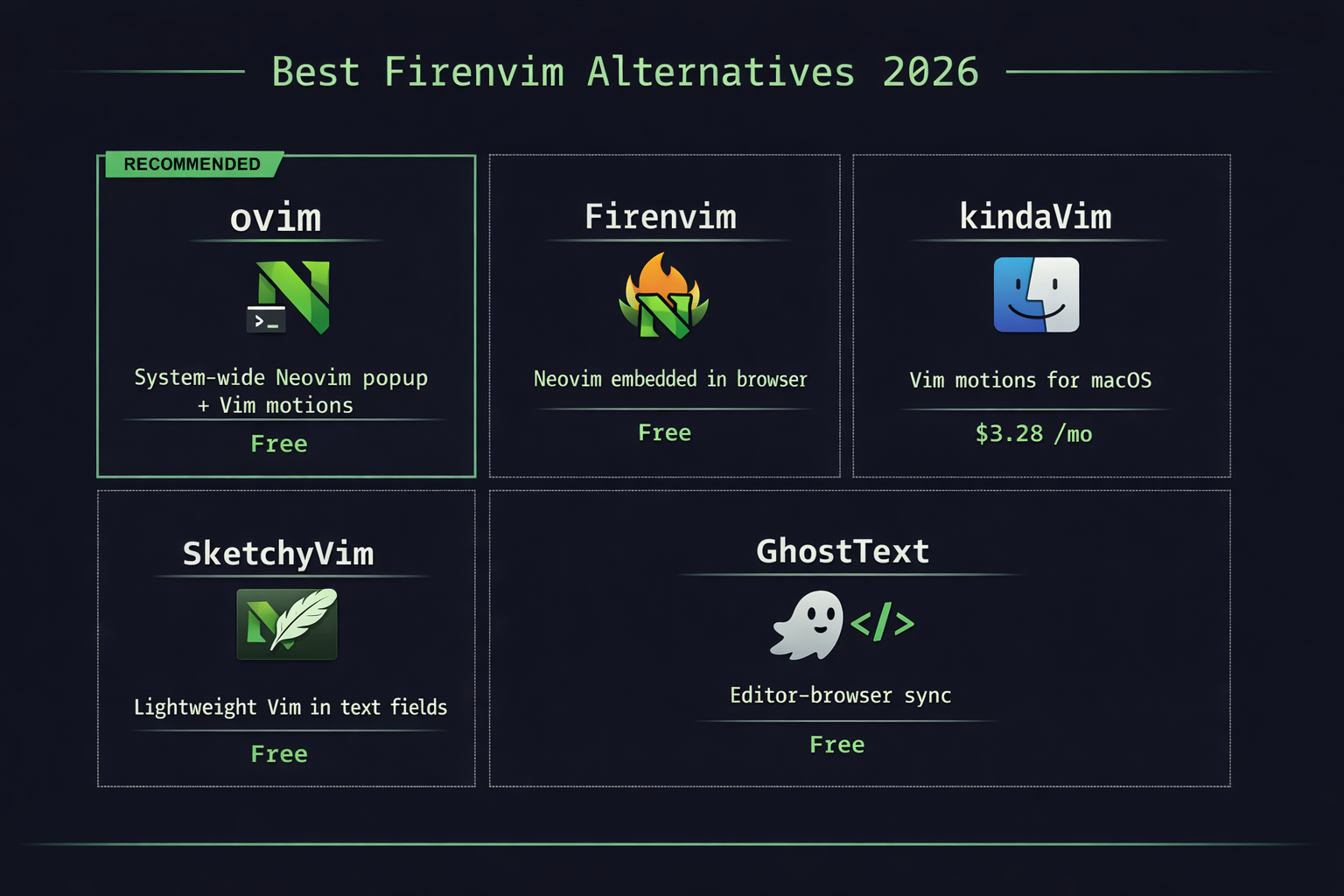
Firenvim embeds Neovim in browser text fields, but what if you want Vim everywhere? Compare the best alternatives for using Neovim outside of the terminal.
Why look for Firenvim alternatives?
Firenvim is a clever browser extension that embeds a full Neovim instance inside text areas in Chrome and Firefox. When you focus a text field, Firenvim replaces it with your Neovim setup, complete with your plugins and configuration.
The concept is appealing: edit any web form with real Neovim instead of the browser's basic text input. But Firenvim has limitations that push users to look for alternatives:
- Browser-only - Firenvim only works in browser text fields. Slack desktop, Notes, email clients, and other macOS apps are not supported.
- Compatibility issues - Some websites break when Firenvim replaces their text fields. Rich text editors (Google Docs, Notion) often do not work.
- Rendering overhead - Embedding a full Neovim UI inside a browser frame can feel laggy, especially with heavy plugin configurations.
- No click navigation - Firenvim only handles text editing. It does not help with navigating the UI or clicking elements.
1. ovim - System-wide Neovim popup + Vim motions (best overall)
ovim takes a different approach to solving the "I want Neovim everywhere" problem. Instead of embedding Neovim inside applications, ovim provides two complementary modes:
- Edit Popup - Opens your actual Neovim installation in a real terminal popup. Select text in any app, press your shortcut, edit in Neovim with your full config and plugins, then
:wqto paste back. Works with Alacritty, Kitty, WezTerm, iTerm2, and Terminal.app. - In-Place Mode - For quick edits, use Vim motions (hjkl, w/b/e, d, y, c, text objects) directly in any application without opening a separate editor. ovim translates keystrokes into native macOS key events.
- Click Mode - Keyboard-driven clicking across all macOS applications. Like Vimium's hint mode, but system-wide.
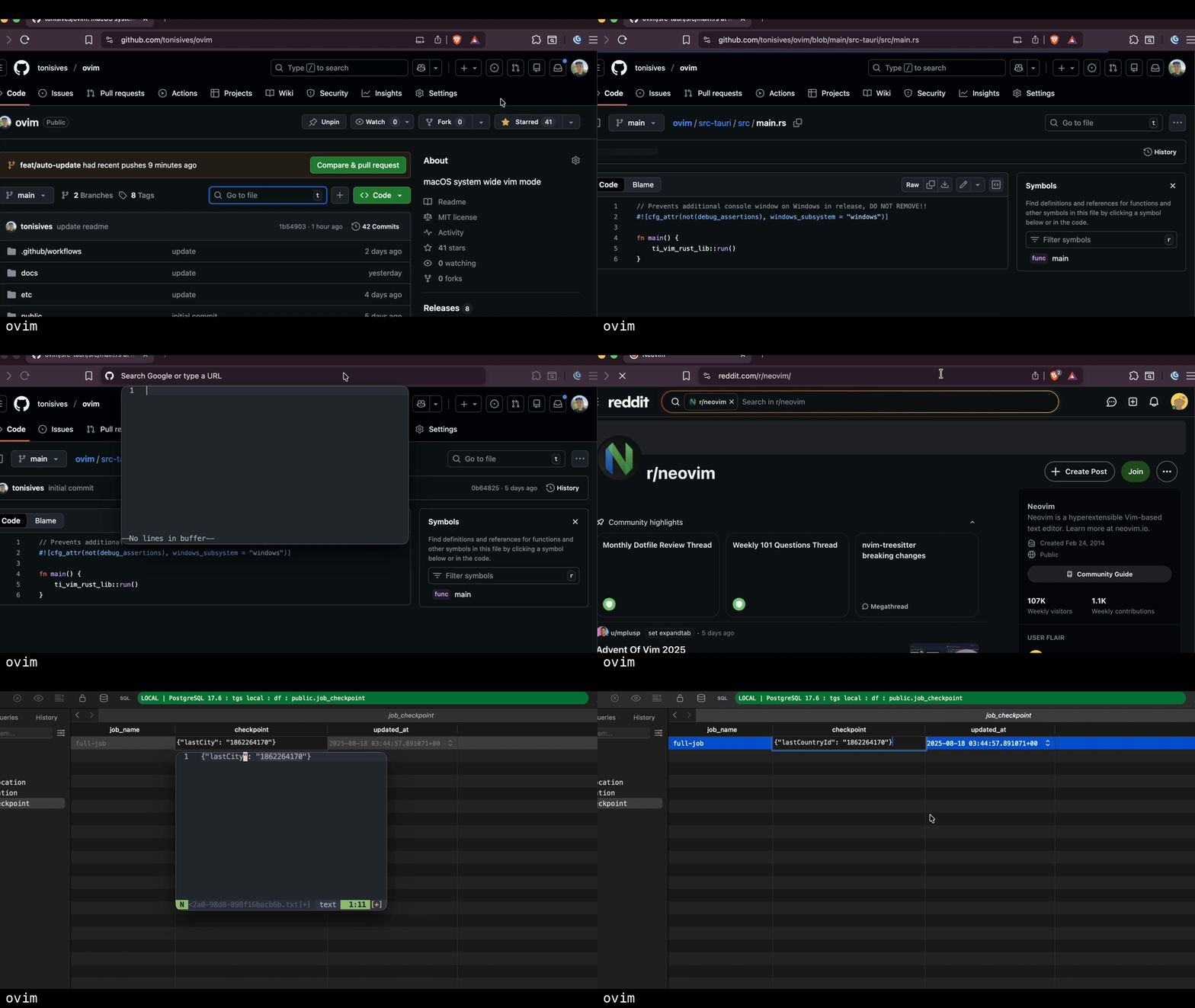
Unlike Firenvim, ovim works in every macOS application - not just browser text fields. The Edit Popup approach avoids the compatibility issues of embedding Neovim inside web pages.
ovim is free, open source (MIT), and installs with brew install --cask tonisives/tap/ovim.
2. kindaVim - Vim motions for macOS
kindaVim brings Vim motions to all macOS applications using the Accessibility API. Press Escape to enter Normal mode and use Vim keybindings in any text field. It supports a wide range of motions including operators, text objects, and visual mode.
kindaVim does not offer a Neovim popup or plugin support - it is purely an in-place Vim emulation layer. The app uses a unique pricing model: it is free to use in the afternoons, but requires a $3.28/month subscription for 24/7 access.
For apps that do not implement the macOS Accessibility API, kindaVim falls back to key remapping, which may be less accurate.
Price: Free (afternoon-only), $3.28/month for full access.
3. SketchyVim - Lightweight Vim in text fields
SketchyVim provides basic Vim-like navigation in any macOS text field. It is a simpler, more lightweight alternative that focuses on core Vim motions without the complexity of a full Vim emulator.
SketchyVim is a good choice if you want minimal Vim keybindings in text fields and do not need full Neovim integration, plugins, or click mode.
Price: Free, open source.
4. Vim-Anywhere - Quick Vim editing via gVim/MacVim
Vim-Anywhere opens a gVim or MacVim instance from any text field. You edit text, close the editor, and the text is pasted back. Similar in concept to ovim's Edit Popup, but uses gVim/MacVim instead of Neovim and does not include in-place motions or click mode.
The project is no longer actively maintained, and some users report issues with modern macOS versions.
Price: Free, open source.
5. GhostText - Connect your editor to browser text fields
GhostText takes a two-way sync approach: it connects browser text fields to your local editor (VS Code, Neovim, Emacs, Sublime Text) over WebSocket. Changes in either the browser or the editor are synced in real time.
GhostText is more flexible than Firenvim in editor choice but is still browser-only and requires running a companion server.
Price: Free, open source.
Full comparison
| Feature | ovim | Firenvim | kindaVim | SketchyVim |
|---|---|---|---|---|
| Scope | All macOS apps | Browser text fields | All macOS apps | macOS text fields |
| Full Neovim | Yes (Edit Popup) | Yes (embedded) | - | - |
| Uses your nvim config | Yes | Yes | - | - |
| In-place Vim motions | Yes | - | Yes | Basic |
| Hint-based clicking | Yes (Click Mode) | - | - | - |
| Works outside browser | Yes | No | Yes | Yes |
| Plugin support | All Neovim plugins | All Neovim plugins | - | - |
| Price | Free | Free | $3.28/mo | Free |
| Open source | Yes (MIT) | Yes | Yes | Yes |
Which Firenvim alternative should you choose?
If you specifically need Neovim embedded inside browser text fields and it works for your workflow, Firenvim remains a solid choice. But if you find yourself frustrated by its browser-only scope or compatibility issues, consider these alternatives:
- For Neovim everywhere on macOS - ovim gives you a Neovim popup that works in any application, plus in-place Vim motions and system-wide keyboard clicking.
- For lightweight Vim motions - kindaVim or SketchyVim add Vim keybindings to macOS text fields without the overhead of a full Neovim instance.
- For browser editing with any editor - GhostText syncs browser text fields with your preferred local editor.
Install ovim with Homebrew:
brew install --cask tonisives/tap/ovim